Tested. Proven. Improved.
Run smoother, serve smarter.
More than a POS.
How much of your restaurant's performance can you actually see, and how much are you simply trusting is going well?
BowlRMS brings your restaurant's operations, people, customers and financial performance into view. It connects the moving parts of your restaurant, giving you a clearer picture of what's happening and the information to make better-informed decisions.
Your restaurant, connected.
Accounting & Financial Tracking
An immutable double-entry ledger tracks sales and inventory cost of goods sold, providing a structured financial record of restaurant activity.
Ordering and Menu Assistance
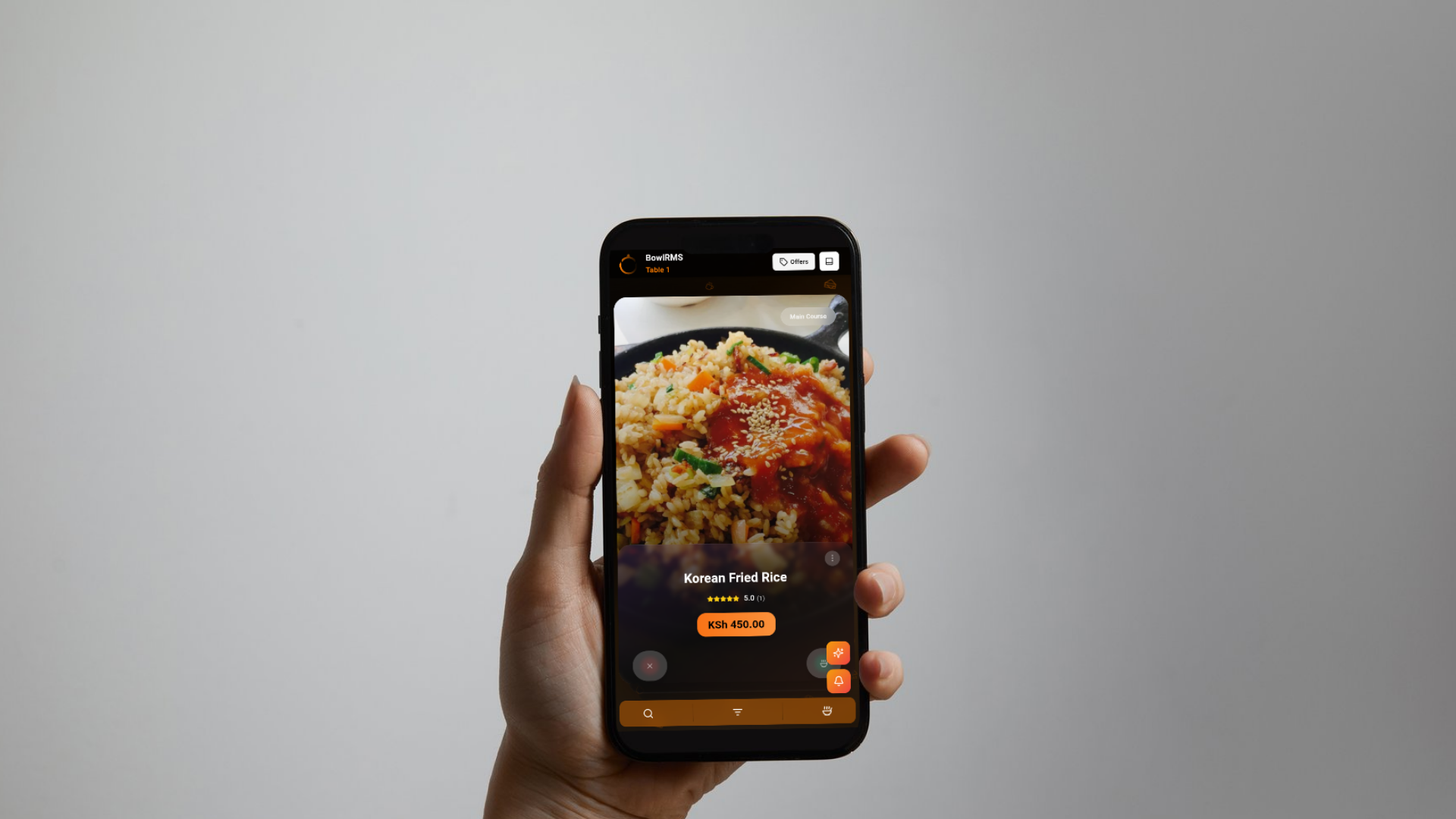
From table-specific ordering to Foodie's menu guidance and item-level feedback, BowlRMS connects the guest experience with the restaurant serving them.
Connected Restaurant Operations
Bar, Kitchen and Waiter portals work together. Orders move between the people responsible for preparing and serving them, reducing unnecessary interruptions and communication gaps.
Reporting, Activity & Insights
Historical records, real-time tracking and reporting help management understand activity, identify patterns and make better-informed decisions.
“Designed so the technology fades into the background, leaving the experience at the centre.”
The Guest Experience
From arrival to feedback; a seamless journey of clarity, choice, and calm.
The Arrival
01Guests scan a table-specific QR code. The menu opens instantly; no apps, no downloads, no friction.
Guests scan a table-specific QR code. The menu opens instantly; no apps, no downloads, no friction.
Browse a high-resolution digital menu at their own pace. Every dish, every detail; visible, vivid, enticing.
Personalized recommendations and assistance throughout the dining experience with Foodie; intuitive, helpful, seamless.
Add items, customize preferences, and place the order; no waiting for a waiter, no miscommunication.
Need something? One tap summons their assigned waiter. Discreet, instant, respectful.
See preparation time in real-time. The kitchen timer flows to the guest; clarity replaces anxiety.
Settle the bill directly; MPesa or cash. Automated STK Push flows straight into the business account.
Leave a review in-app. Feedback syncs directly to admin analytics; no third-party detours.
Operational Harmony
The engine behind the experience: silent, precise, and relentless.
Kitchen / Bar Portal
01Orders arrive instantly in the kitchen/bar portal. No physical chits, no delays, no errors. The system knows what station needs what.
Orders arrive instantly in the kitchen/bar portal. No physical chits, no delays, no errors. The system knows what station needs what.
Kitchen sets preparation timers per dish. Each item tracked individually; precision over chaos.
When the timer completes, status automatically changes to 'Ready'. No manual updates, no forgotten orders.
The assigned waiter receives a silent notification. No shouting across the floor, no confusion about whose order it is.
Order marked complete only after waiter confirmation. Guest feedback syncs directly to admin dashboard; no data gaps.
Waiter processes bill on-site based on guest payment method. Cash or MPesa; both flow into reconciliation instantly.
From service to clarity
Follow each decision back to the orders, stock movements, people, and ledger records behind it.
Read the Service Pulse
What needs attention before service?
- See sales, order activity, busiest hours, and top-performing dishes on the dashboard.
- Spot low-stock and out-of-stock items before they disrupt the next shift.
Move from a quick overview to the orders, people, or stock that need attention.
What needs attention before service?
- See sales, order activity, busiest hours, and top-performing dishes on the dashboard.
- Spot low-stock and out-of-stock items before they disrupt the next shift.
Move from a quick overview to the orders, people, or stock that need attention.
What was served, and how was it paid for?
- Follow orders from placement through service, with filters for table, staff, and status.
- Review cash and M-Pesa payment records, then use payment reports to reconcile the day.
Understand the activity behind each day’s collected revenue.
What came in, what was used, and what changed?
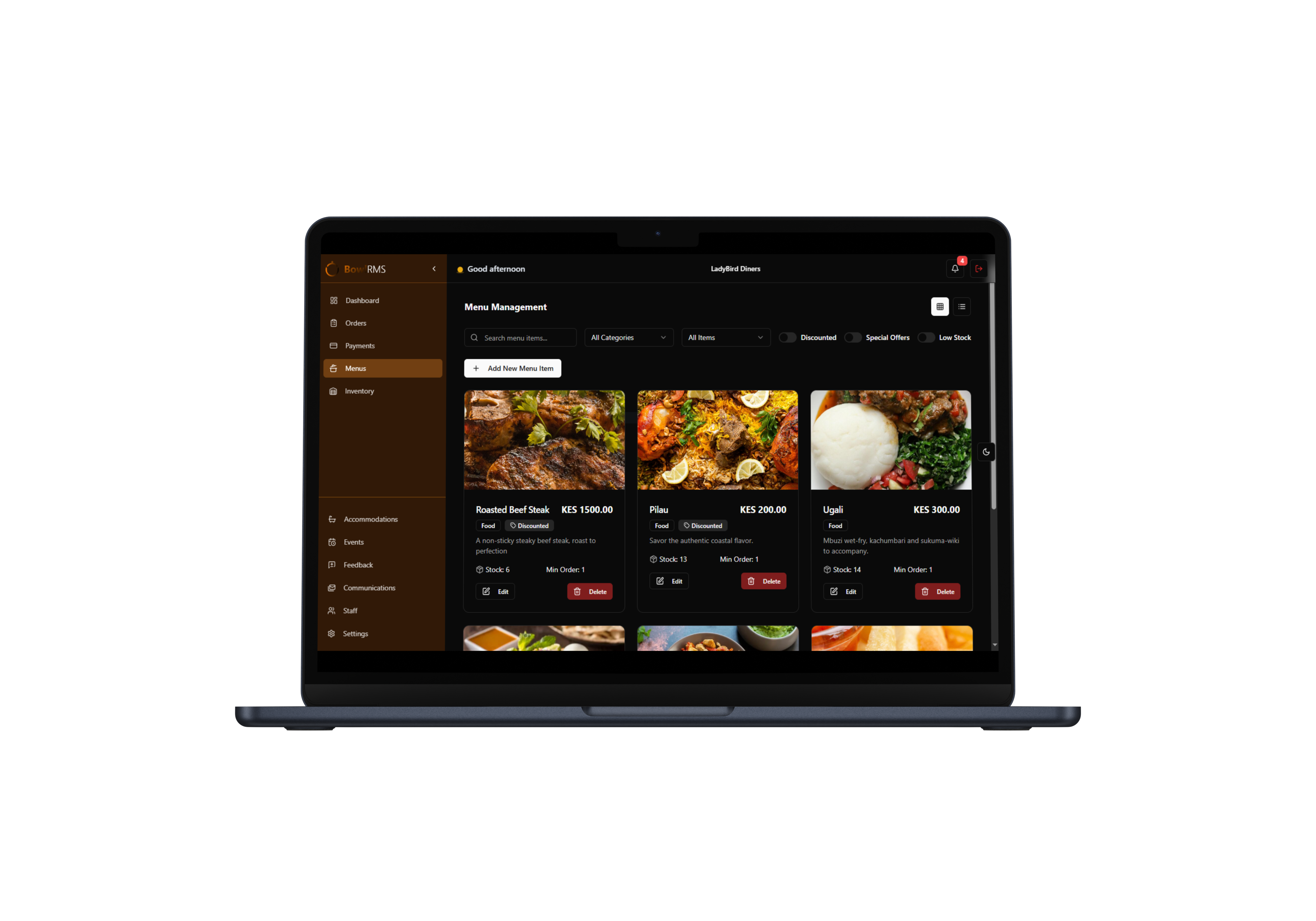
- Record restocks with supplier, date, quantity, and unit cost; each restock updates the moving weighted-average cost.
- Trace recipe-linked consumption at its configured point, alongside stock counts, waste, and adjustments.
- Review item movement history and valuation to follow quantity and cost over time.
Reorder, investigate a variance, or understand the cost of the ingredients consumed.
Did the operational record reach the financial record?
- Supported sales, restocks, expenses, payroll, supplier payments, and inventory consumption feed double-entry journal activity; Verify surfaces posting gaps.
- Trace journal lines back to source records; see inventory assets, COGS, payables, and cash reflected in the ledger.
- Use the ledger-backed Profit & Loss, Balance Sheet, and Trial Balance to review financial position.
Read recognized results from the books, not just from operational totals.
Do the source records and ledger agree?
- Verify compares source records with journal activity and surfaces missing entries or discrepancies.
- Reconciliation groups exceptions for review, notes, and resolution.
- A dry-run Repair previews missing postings; it does not rewrite incorrect journal entries.
Investigate the cause, then resolve or repair only what the evidence supports.
What should the business do next?
- Drill into Profit & Loss accounts and their underlying transactions; review supplier balances, aging, and cash-flow projections.
- Export journal detail for external accounting review and compare payment trends.
- Keep operational purchase-spend comparisons distinct from ledger Profit & Loss.
Use traceable figures to plan purchasing, supplier payments, and operating priorities.
Who acted, and what needs follow-up?
- Activity history records significant actions with the actor and timestamp.
- Role-based access gives each staff member the workspace and permissions needed for their role.
- Accounting periods can be closed to protect a reviewed date range.
Assign follow-ups, protect sensitive workspaces, and carry a clearer picture into the next service day.
Experience serenity,
BowlRMS handles the rest
From guest arrival to operational closure; seamless, silent, precise. Built for the restaurant that refuses to settle.
Get Started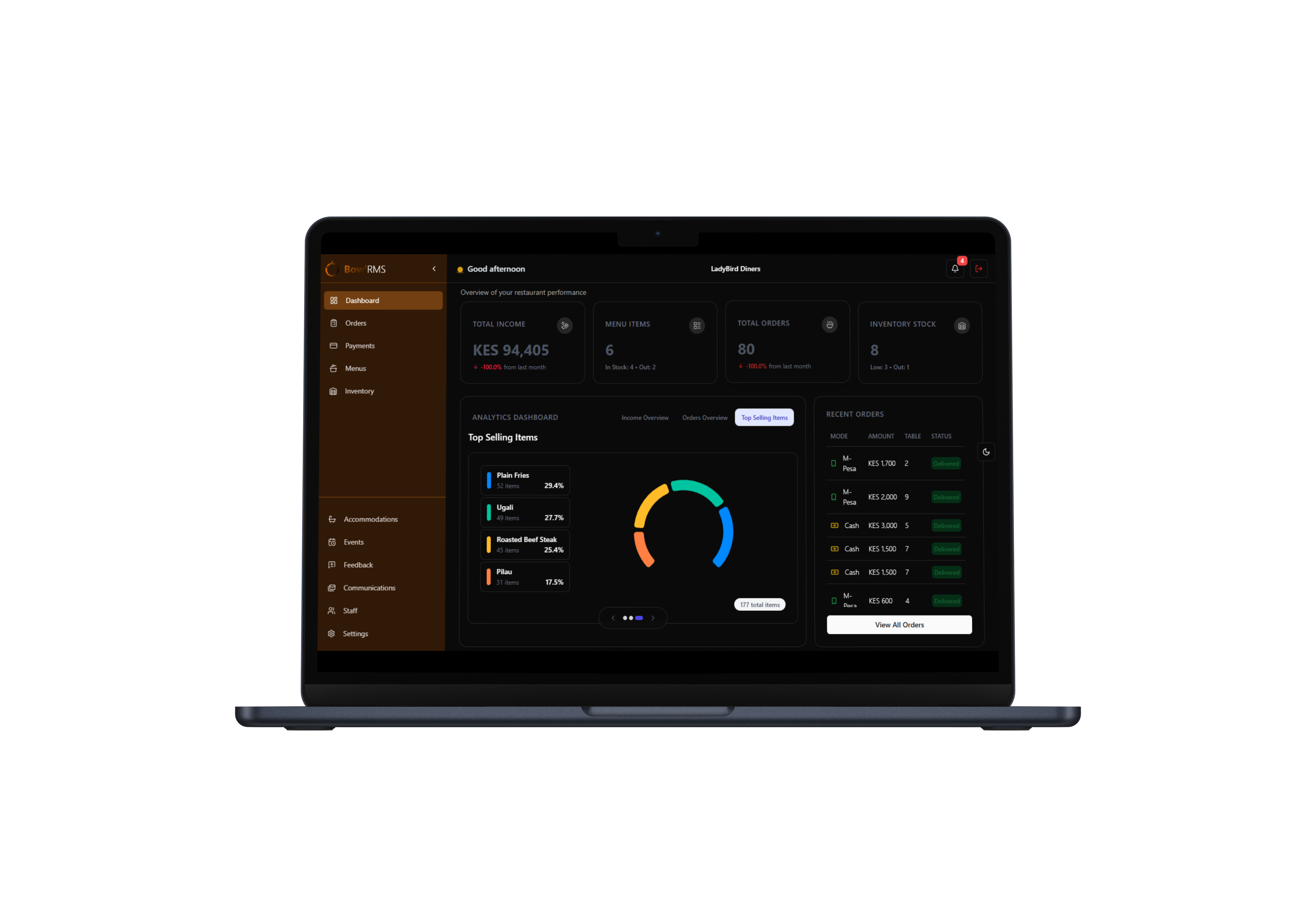
Built around your establishment
BowlRMS is quotation based. We shape the right arrangement around your operation, requirements, and resources.
Subscription engagement
A recurring arrangement tailored to the size, complexity, and operating needs of your establishment.
Questions & Voices
Everything you need to know; and what restaurants already running BowlRMS have to say.
Frequently Asked
BowlRMS digital menu system uses QR codes that customers can scan to view your restaurant's menu on their smartphones. The menu is fully customizable and updates in real-time when you make changes.
Yes, BowlRMS integrates with most major POS systems. Alternatively, you can use BowlRMS in-built PoS Capabilities. Our Complete Set-Up plan includes custom integrations to ensure smooth operation with your existing restaurant technology stack.
BowlRMS supports both cash and MPesa payments. For MPesa, customers can pay directly through their phones, and the payment is automatically recorded in your system and settled on your account, no detour.
We offer email and chat support for all plans. Complete Set-Up plan customers get priority 24/7 support with dedicated account managers and phone support.
Yes! We offer a 14-day free trial on all our plans. You can test all features available in your chosen plan with no commitment required.
Customer Voices